Link Account
Connects the correct ARK account to your Discord profile. Full linking instructions are provided in the New Player Guide.
DoPpleGang Player Services
Account management, DoPCoins, storage and community shopping brought together through one simple Discord panel.
DoP_BOT is developed specifically for the DoPpleGang community. Players can open their personal control panel by using the /dop command in Discord.
The panel is designed to be straightforward. Choose the clearly labelled button for the service you need and DoP_BOT will guide you through the available options.
Select the image to open it at full size.
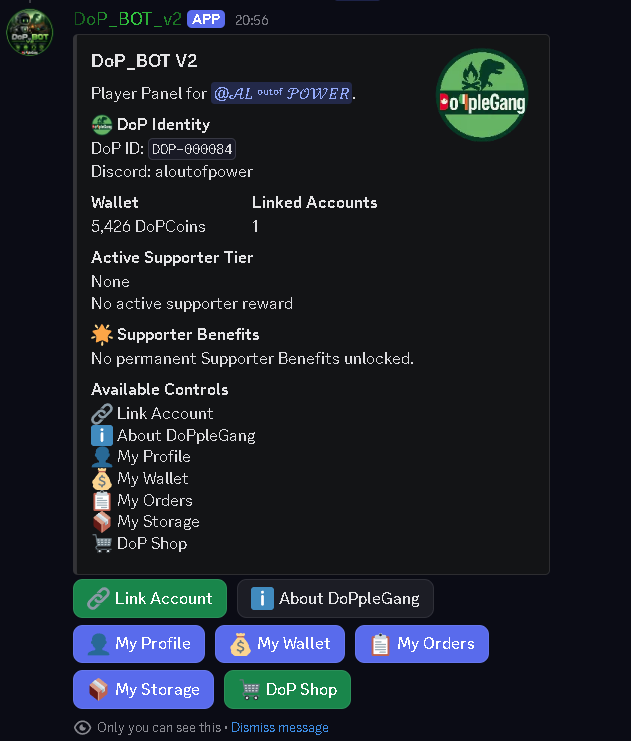
The Main Panel
The main player panel provides direct access to account linking, profile information, DoPCoins, orders, storage and the DoP Shop.
There are no complicated text commands to remember. Once the panel is open, players can simply press the button for the service they want.
Connects the correct ARK account to your Discord profile. Full linking instructions are provided in the New Player Guide.
Opens community information directly inside DoP_BOT.
Shows your player profile and linked-account information.
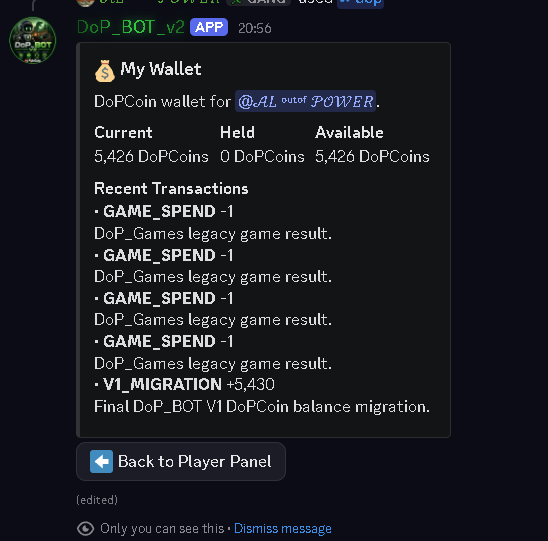
Shows your current DoPCoin balance and wallet activity.
Provides access to your current and previous shop orders.
Shows eligible shop deliveries that are being held safely in player storage.
Opens the community shop, where available creatures and items can be browsed and purchased using DoPCoins.
DoPCoins
The My Wallet section gives each player a clear view of their DoPCoin balance and available wallet information.
DoPCoins are used across DoP_BOT services, including purchases made through the DoP Shop.
Select the image to open it at full size.
Community Rewards
DoPCoins are earned through normal participation in the DoPpleGang community. Players can build their balance through playtime, Discord activity, community events and other approved reward systems.
Linked players earn 120 DoPCoins for every hour played across the DoPpleGang ARK cluster, up to a maximum of 12 rewarded hours within each 24-hour period.
The daily playtime leaderboard also awards bonus DoPCoins to the three most active players.
DoPCoins can be earned by taking part in conversations within the designated DoPpleGang general chat.
Rewards are intended to encourage genuine community participation rather than repeated or low-effort messages.
Community members may receive DoPCoin rewards for approved DoPpleGang advertising.
Rewards may also be earned when somebody joins and plays through your custom Discord invite link. Open a support ticket for more information.
Players can win DoPCoins through DoPpleGang's custom Discord games and other community game systems.
Available games, entry requirements and possible winnings may vary.
DoPCoins may be awarded as prizes for winning or taking part in approved events held across the DoPpleGang ARK servers.
Event rewards are announced with the individual event information.
Community members who voluntarily donate may receive DoPCoin thank-you rewards and temporary earning multipliers.
Donations help support the community and its services. They do not purchase DoPCoins.
DoPCoins are internal DoPpleGang community points only. They have no real-world monetary value and are not sold.
DoPCoins cannot be sold, traded, exchanged, redeemed for money or used outside the DoPpleGang community in any way.
Community Shopping
The shop uses a simple button and selection process. Players can browse the available catalogue, choose what they want and review the setup before confirming an order.
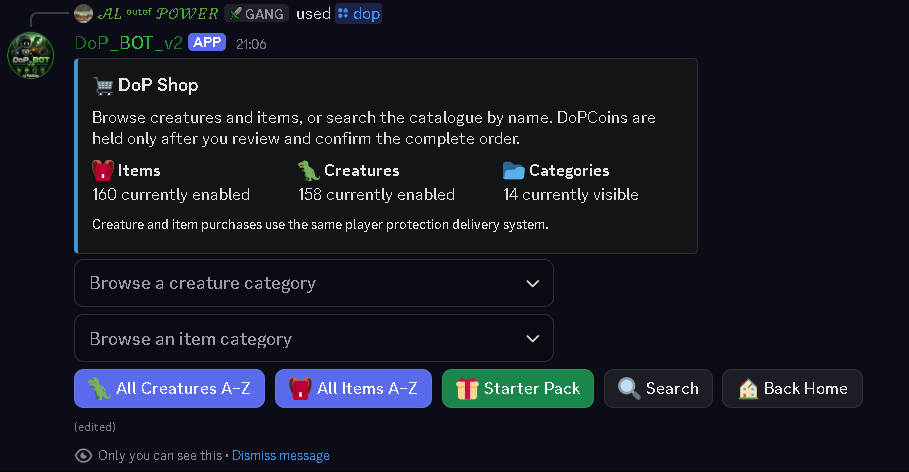
Press DoP Shop from the player panel to open the available shopping sections.
From here, players can choose the type of purchase they want to browse.
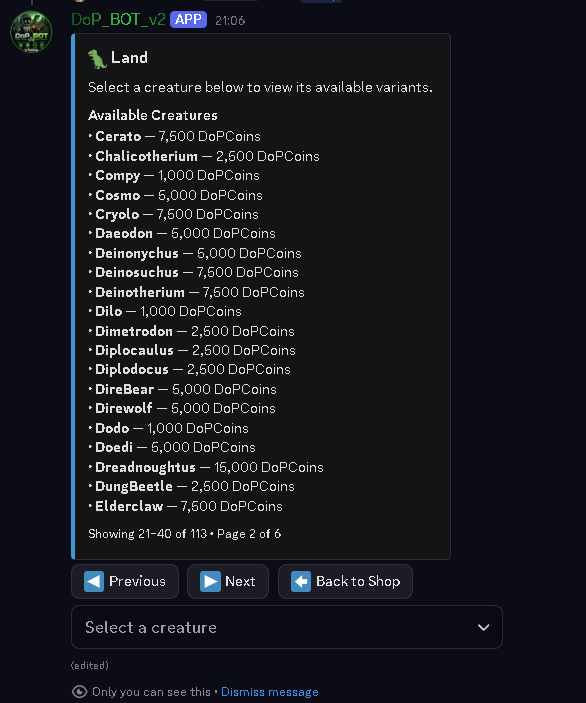
Creatures are organised into browsing categories so players do not need to search through the entire catalogue at once.
The available creatures, items and categories may change as the community shop is updated.
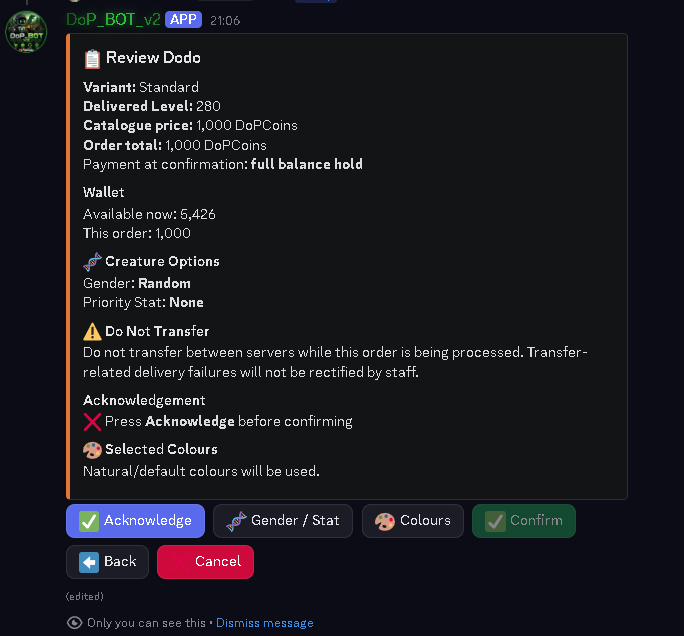
After choosing a creature, DoP_BOT presents the available setup choices and allows the order to be reviewed before confirmation.
Players should check the displayed details carefully before completing their purchase.
There is no need to memorise a complicated ordering process. The buttons and selections shown by DoP_BOT guide the player through each stage.
Account linking is covered separately in the New Player Guide, including how to find your EOSID and how to confirm that you are linking the correct account.